
What Flora Client does.
Everything here is in the launcher today, shown with screenshots of version 0.6.0.
Instances
An instance is one self-contained Minecraft setup. Each has its own Minecraft version, mod loader, game folder, memory limit, Java and JVM arguments, so a heavy modpack never touches your vanilla world.
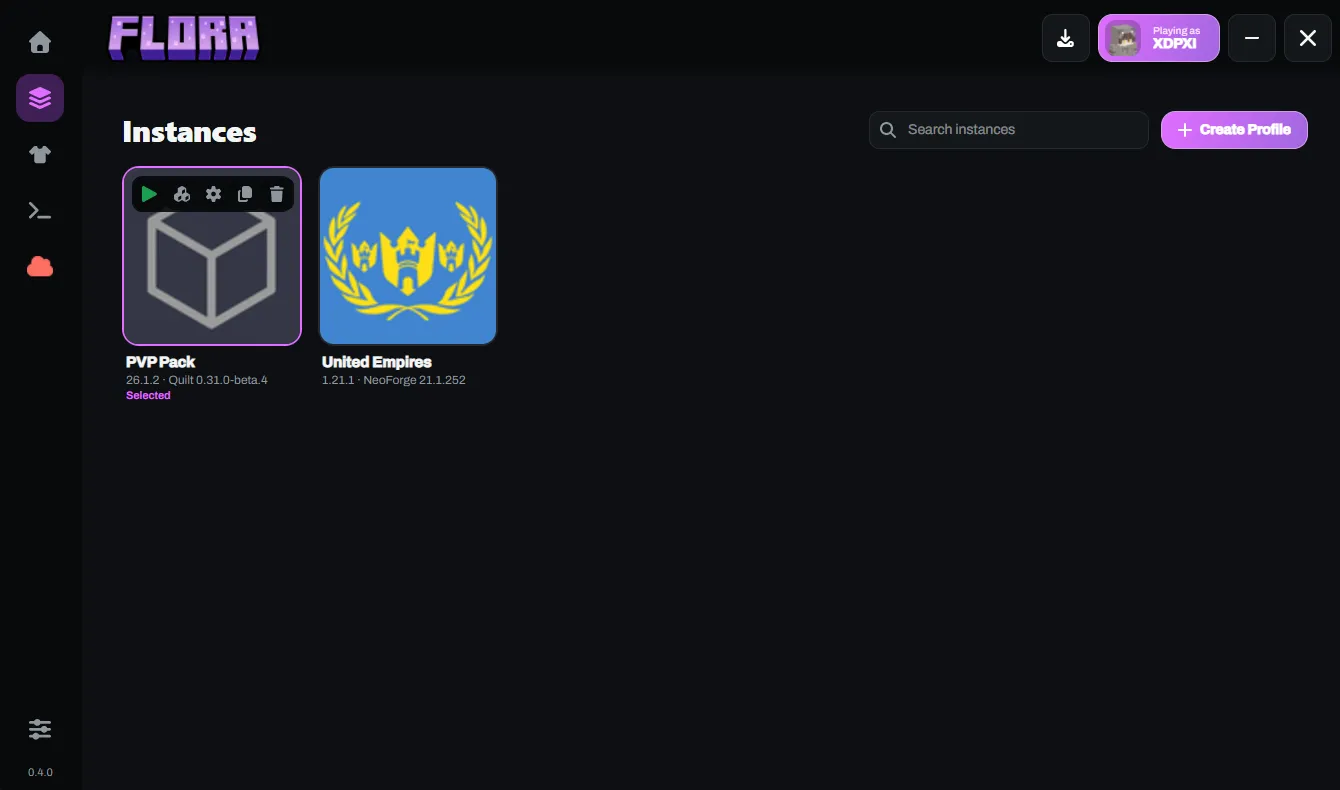
- Search your instances, launch one from its card, and see its version and loader underneath.
- Hover a card for Play, Mods, Settings, Duplicate and Delete.
- Flora asks before it deletes anything, and blocks deleting or duplicating an instance while its game is running.
Three ways to start a profile.
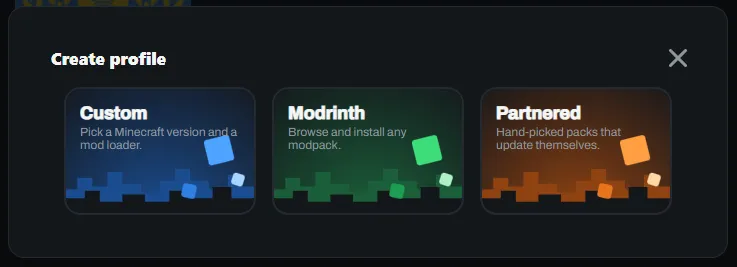
Create Profile offers a custom setup, any Modrinth modpack, or one of Flora’s partnered modpacks.
- Custom: pick a Minecraft version and a mod loader.
- Modrinth: browse and install any modpack.
- Partnered: hand-picked packs, currently United Empires and PVP Pack. Some update themselves before you launch.
Mod loaders, installed for you.
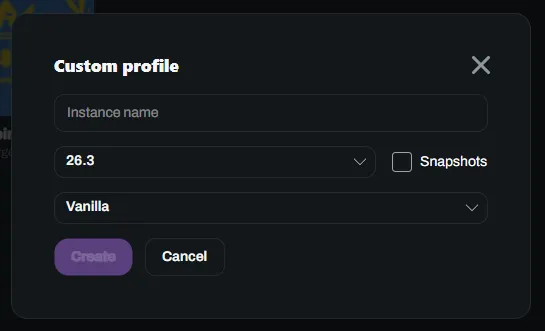
Choose a Minecraft version, tick Snapshots if you want them, and pick a loader. Every loader ends up as a version that builds on vanilla, so launching works the same whichever you choose.
| Loader | Minecraft versions | How Flora installs it |
|---|---|---|
| Vanilla | Releases and snapshots | Downloaded from Mojang’s version manifest. |
| Fabric | Whatever Fabric’s service offers | Installs a Fabric profile directly. Stable loader versions are listed first. |
| Quilt | Whatever Quilt’s service offers | Installs a Quilt profile directly. Mod search includes Fabric mods too. |
| Forge | Minecraft 1.13 and newer | Runs Forge’s own installer for you and detects what it produced. |
| NeoForge | Minecraft 1.20.2 and newer | Runs NeoForge’s own installer for you. NeoForge for 1.20.1 is not supported. |
Minecraft’s newer year-based version numbers are supported. Forge for versions before 1.13 and Minecraft versions before 1.7 are not.
Mods and modpacks from Modrinth.
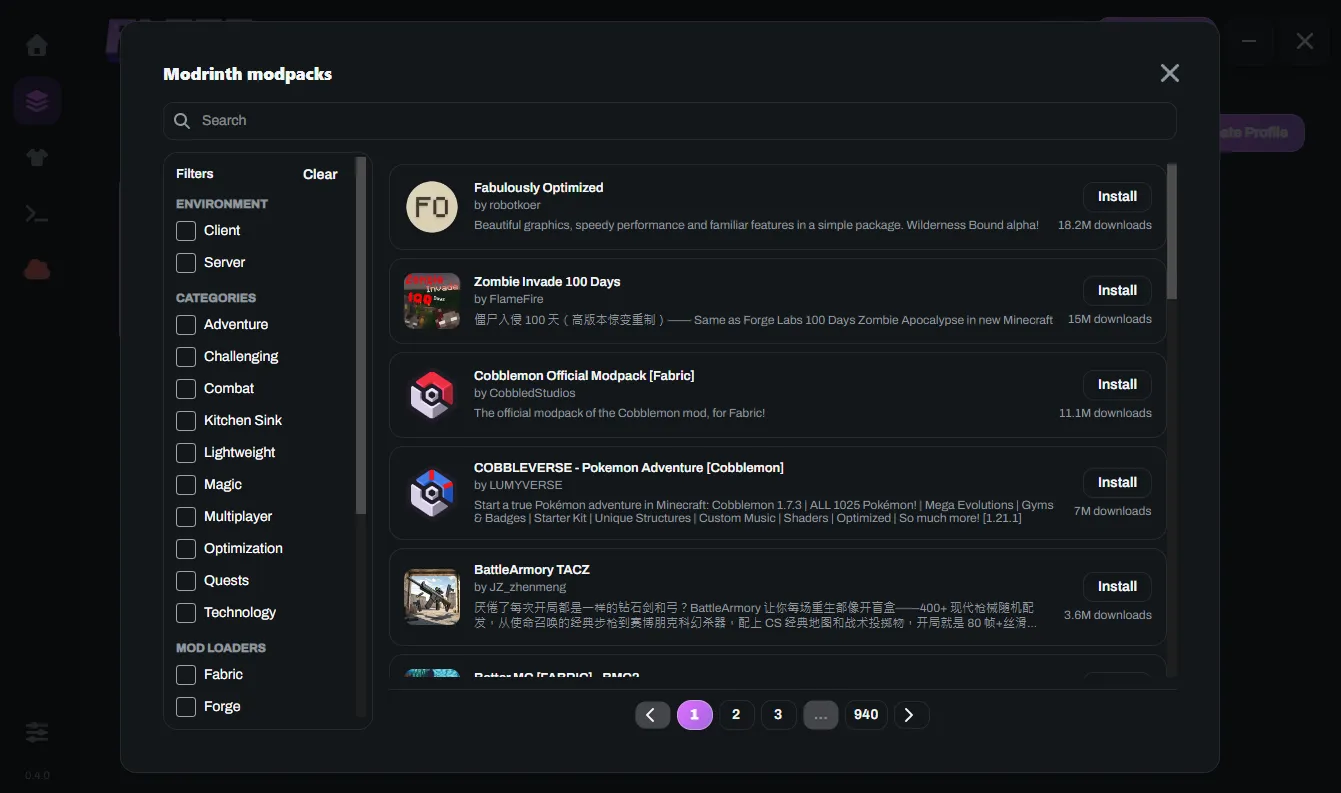
Browse Modrinth from inside Flora, filter by environment, category and loader, and install with one button.
- Mods install with the dependencies they need, and Flora shows whether you are getting a release, beta or alpha build. Files are checked against Modrinth’s hash.
- Turn a mod off without deleting it, or remove it for good. Resource packs and shader packs install the same way.
- A modpack becomes a new instance only after every file and its loader have installed. If a step fails, nothing half-finished is left behind.
- Updating a partnered pack never deletes your worlds or settings.
Java and memory, sorted.
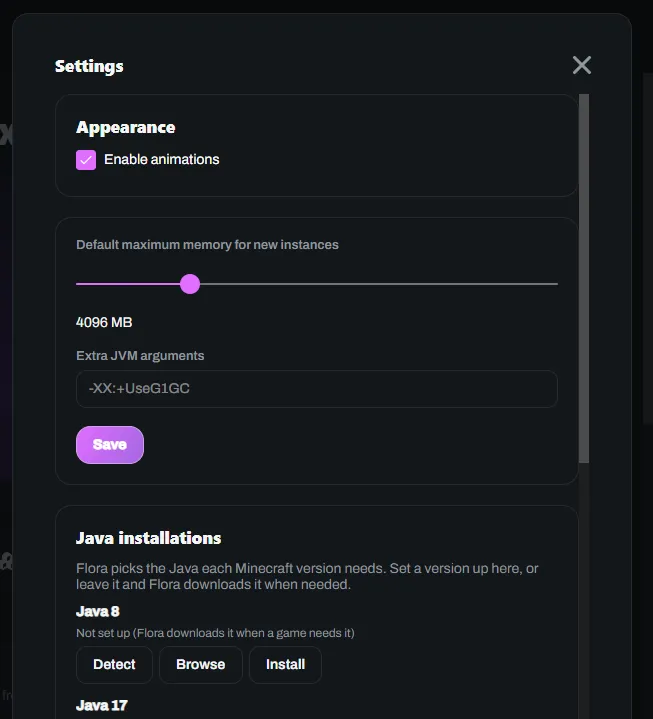
Each Minecraft version needs a particular Java. Flora picks the right one and downloads it when it is missing. If you would rather use your own, detect Java already on your PC, browse to one, or choose a version per instance.
- Set the default memory for new instances and any extra JVM arguments.
- Every Java Flora knows about has its own status and progress in Settings.
Skins and capes.
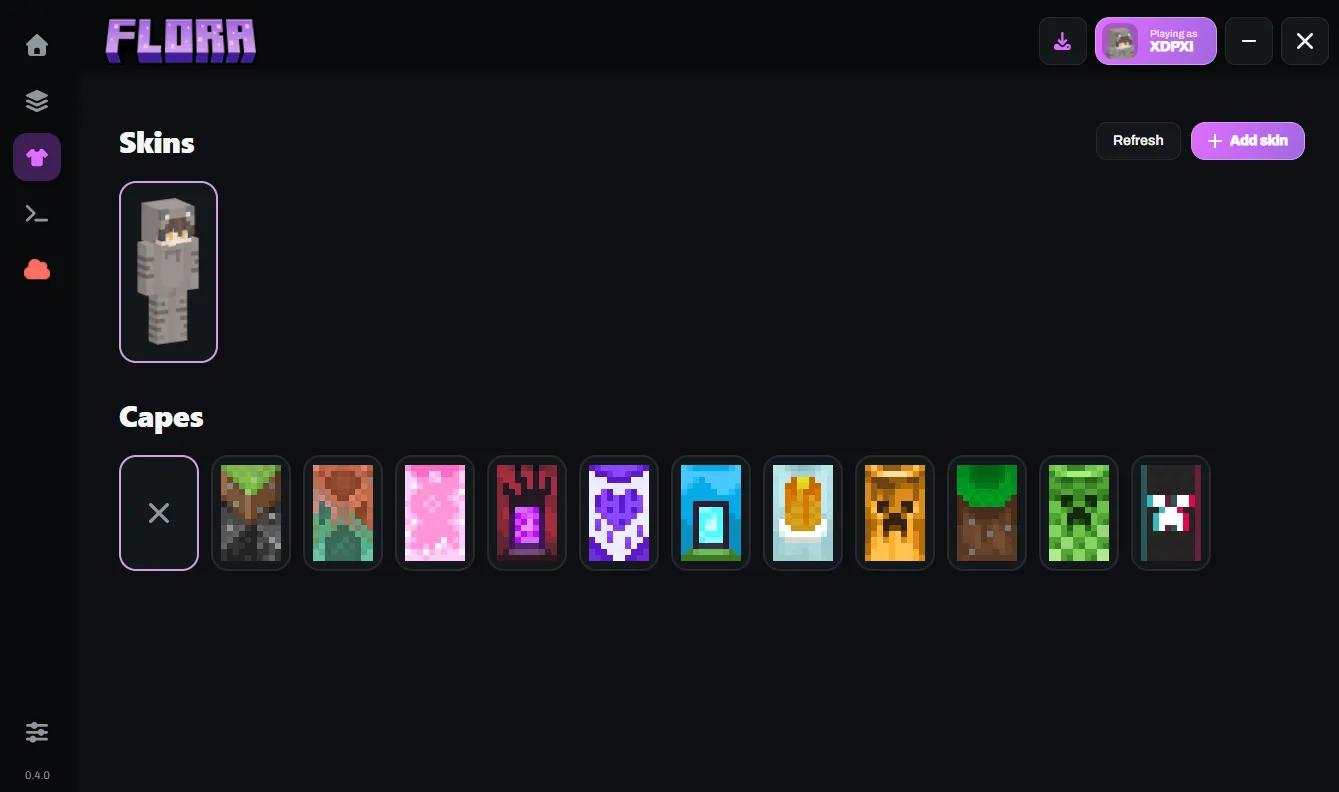
Keep a library of skins on your PC. Add one from a username, a file, a link or your account’s current skin, and Flora tells you if you already have an identical one.
- Apply a skin to your account and the launcher updates only after the server confirms it.
- Equip or hide any cape your account owns. Offline, saved skins stay visible, but cape changes need a connection.
A console you can read.
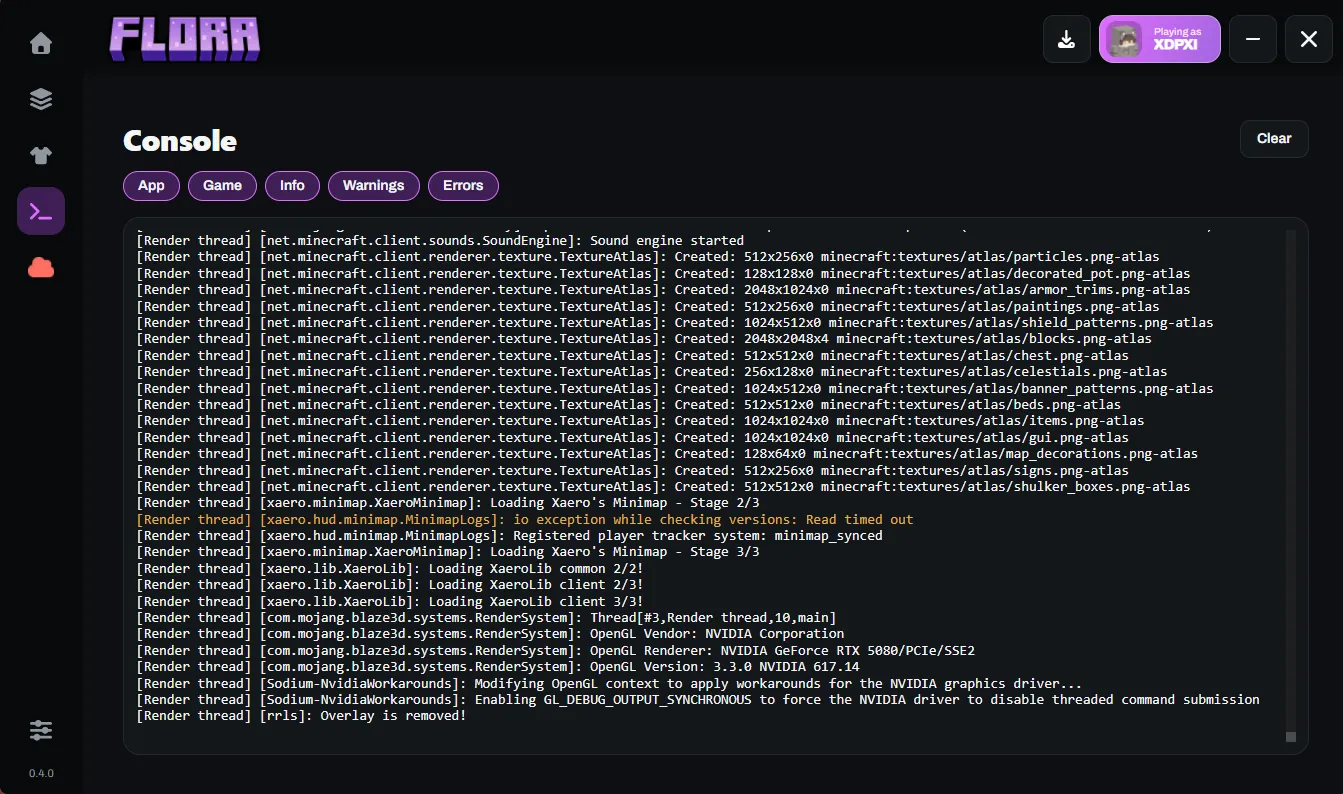
Watch the launcher’s and the game’s output live. Filter by app, game, info, warnings or errors, and clear it when it gets noisy.
- If the game crashes, Home shows a summary of the cause and a button to open the crash report.
- Tokens are masked in logs and crash reports before you ever see them.
Accounts and safety.
Sign in with a Microsoft account that owns Minecraft: Java Edition. Flora has no accounts of its own.
- Keep several accounts and switch between them. Flora restores your session on the next start, and asks you to sign in again only when Microsoft rejects the saved token.
- The sign-in window is limited to Microsoft’s sign-in domains.
- Flora saves only the refresh token, encrypted with a key held by your system, and keeps the access token in memory.
- Downloads run in parallel, are checked against published SHA-1 hashes, are written to a temporary file first and are retried on failure. Paths from downloaded metadata are validated before Flora writes to disk.